
AI Automation Services for Small Businesses: A Complete Guide to Benefits, Types, Costs & Implementation
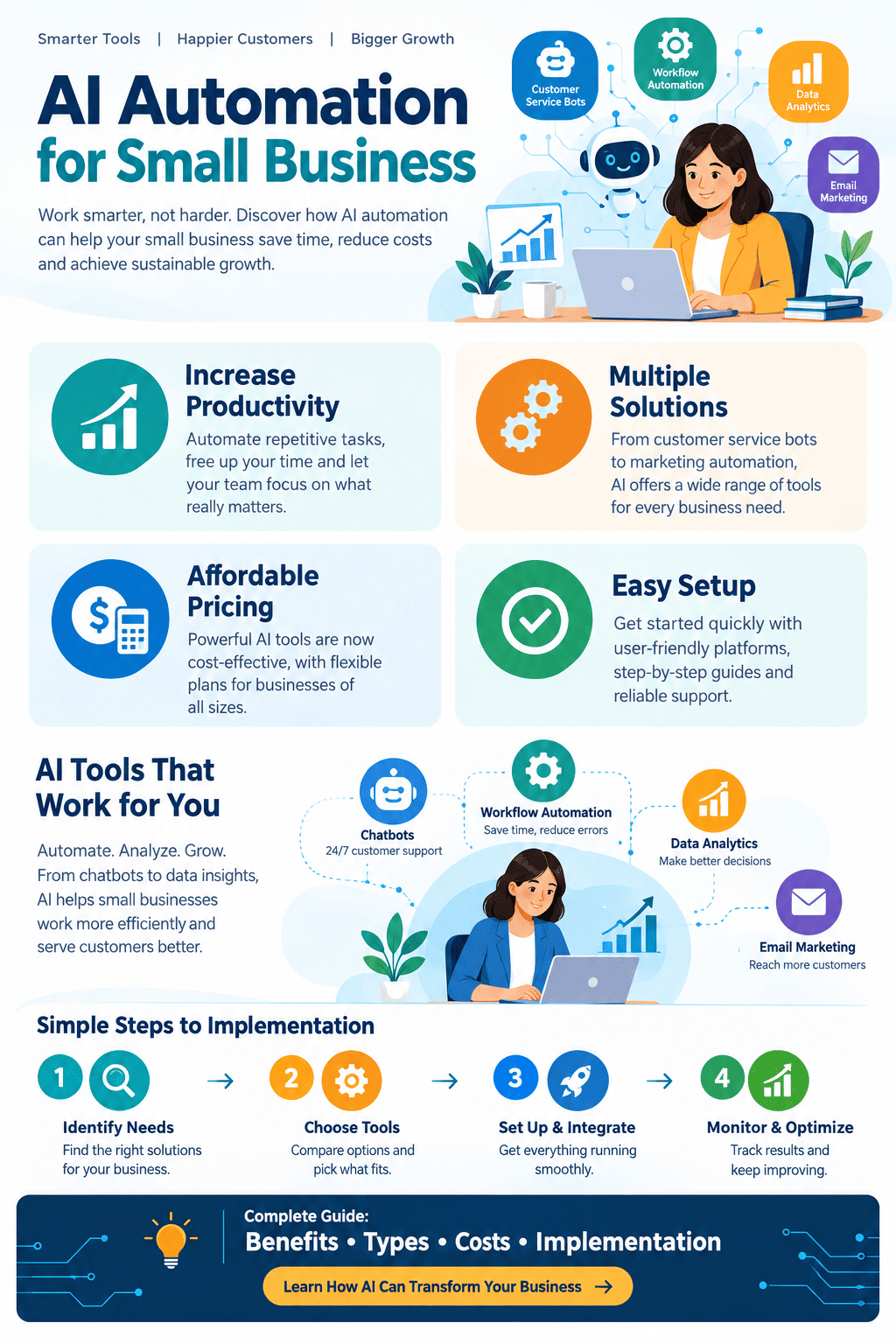
Small businesses often operate with limited staff, tight budgets, and demanding workloads. Owners and employees may spend hours handling repetitive tasks such as responding to customer questions, entering information, scheduling appointments, following up with leads, preparing reports, and managing invoices. As a result, there is growing interest in ai automation services that can reduce manual work while helping businesses operate more efficiently.
Artificial intelligence can now perform or assist with many routine activities that previously required human attention. When AI is combined with workflow automation, businesses can create systems that recognize information, make decisions according to predefined rules, generate content, communicate with customers, and move data between applications.
For a small business, the goal is not necessarily to automate everything. Instead, effective automation focuses on repetitive, predictable, and time-consuming processes while allowing employees to concentrate on activities that require creativity, judgment, relationships, and strategic thinking.
This guide explains what AI automation means for small businesses, how it works, which processes can be automated, its major benefits and limitations, implementation strategies, costs, and practical examples.
Read More: What Is AI Automation? A Complete Guide to How It Works, Benefits, Types, and Applications.
What Are AI Automation Services?
AI automation services combine artificial intelligence technologies with automated workflows to complete business tasks with limited human intervention.
Traditional automation generally follows fixed instructions. For example, a system might automatically send an email whenever someone submits a contact form. AI-powered automation can go further by interpreting information and responding differently depending on the situation.
For example, an AI system could receive a customer message, determine whether the person is asking about pricing, identify the relevant product, generate an appropriate response, and record the interaction in a customer relationship management system.
AI automation may use technologies such as:
- Machine learning
- Natural language processing
- Generative AI
- Computer vision
- Speech recognition
- Predictive analytics
- Intelligent document processing
- Robotic process automation
- Workflow management platforms
The combination of these technologies allows businesses to automate processes that involve both structured and unstructured information.
Read More: Zapier Updates News: 5 Latest Features, Improvements, and What They Mean for Users.
Why Small Businesses Are Adopting AI Automation
Small businesses face many of the same operational challenges as large companies but usually have fewer employees and financial resources. An owner may be responsible for sales, customer service, marketing, administration, and financial management at the same time.
Repetitive work can consume valuable hours that could otherwise be spent developing products, serving customers, or building relationships.
AI automation can help address this problem by reducing the amount of manual effort required for routine processes. Instead of replacing every human task, automation can act as a digital assistant that handles predictable activities and gives employees more time for higher-value responsibilities.
Common reasons for adopting automation include:
- Reducing repetitive administrative work
- Improving response times
- Increasing productivity
- Organizing business information
- Supporting customer service
- Improving lead management
- Reducing data-entry errors
- Creating more consistent workflows
- Supporting business growth
- Making better use of existing employees
The appropriate approach depends on the size, industry, technology infrastructure, and specific needs of each business.
Read More: What Are the Best AI Workflow Automation Tools? Top Solutions for Smarter Business Processes.
How AI Automation Works
Although implementations vary, most automated AI workflows follow a basic sequence.
1. Data Collection
The system first receives information from a source. This could be a website form, email, customer message, invoice, spreadsheet, phone conversation, or business application.
2. AI Processing
An AI model analyzes the information. Depending on the workflow, it might classify a message, extract information from a document, summarize text, identify customer intent, or generate a response.
3. Decision Making
The system applies business rules and AI-based analysis to determine what should happen next.
For example, a customer inquiry about a refund might be routed to a support employee, while a basic question about business hours could receive an automated response.
4. Automated Action
The workflow then performs an action. It may send an email, update a database, create a task, schedule an appointment, or notify an employee.
5. Human Review
Some workflows should include human oversight. When an AI system encounters an unusual, sensitive, or high-risk situation, the process can send the task to a person for review.
This combination of AI and human supervision can provide a practical balance between efficiency and control.
Read More: 7 Essential and Effective Insights on How Google Determines Search Relevance.
Key Types of AI Automation Services for Small Businesses
Different business functions can benefit from different forms of automation.
Customer Service Automation
AI-powered customer service tools can answer frequently asked questions, provide basic information, organize support requests, and route complicated issues to employees.
For example, a small retailer could automate responses about:
- Store hours
- Shipping policies
- Product availability
- Return procedures
- Payment methods
- Order status
Human support remains important for complaints, unusual requests, and sensitive situations.
Marketing Automation
Marketing requires consistent communication, but creating and managing campaigns can consume significant time.
AI-assisted marketing workflows can help businesses:
- Generate content ideas
- Draft email campaigns
- Segment audiences
- Personalize messages
- Analyze campaign performance
- Schedule content
- Identify potential customer interests
Employees should review AI-generated marketing materials before publication to maintain brand accuracy and quality.
Sales Automation
Sales teams can use automation to organize leads and reduce administrative work.
For example, when a potential customer submits a form, an automated workflow could:
- Collect the person’s information.
- Add the lead to a CRM.
- Analyze the inquiry.
- Categorize the lead.
- Send an initial response.
- Assign a follow-up task.
- Notify the appropriate salesperson.
This can reduce the likelihood that promising leads are forgotten.
Appointment Scheduling
Appointment-based businesses can automate much of the scheduling process.
A customer might request an appointment through a website. The system can identify available time slots, confirm the booking, add the event to a calendar, and send reminders.
This approach can be useful for consultants, tutors, salons, repair businesses, clinics, and other service providers.
Invoice and Document Processing
Many small businesses receive invoices, receipts, purchase orders, and other documents in different formats.
AI-powered document processing can extract information such as:
- Vendor names
- Invoice numbers
- Dates
- Product descriptions
- Quantities
- Tax amounts
- Total values
The extracted information can then be transferred into accounting or business management software.
Human verification is particularly important for financial records because incorrect information can create accounting problems.
Human Resources Automation
Small businesses can also automate selected HR activities.
Examples include:
- Organizing applications
- Scheduling interviews
- Sending routine communications
- Preparing onboarding checklists
- Managing employee documents
- Sending reminders
- Answering basic policy questions
Sensitive employment decisions should not be delegated entirely to an AI system. Human review is essential when decisions affect employees or applicants.
Inventory Management
Businesses that sell physical products can use automation to monitor stock levels and identify potential shortages.
A system might analyze sales information and generate alerts when inventory reaches a predefined threshold. More advanced systems can use historical patterns to support demand forecasting.
Automation does not eliminate the need for inventory managers, but it can provide timely information for purchasing decisions.
Read More: What Is SEO Rank Tracking? A Complete Guide to Measuring Search Performance.
Benefits of AI Automation Services
1. Time Savings
One of the most immediate advantages is reducing the time employees spend on repetitive work.
If a task takes several minutes and occurs hundreds of times each month, automation can potentially free substantial employee time.
2. Improved Productivity
Employees can devote more attention to activities that require human skills.
For example, instead of manually sorting every customer inquiry, a support employee can focus on complicated cases and relationship-building.
3. Faster Customer Responses
Customers increasingly expect quick responses. Automated systems can respond to routine inquiries outside traditional business hours.
Faster communication can make it easier for customers to obtain information when they need it.
4. Greater Consistency
Manual processes can vary from one employee to another. Automated workflows can apply the same predefined rules repeatedly.
This can be particularly useful for standardized administrative procedures.
5. Fewer Manual Data-Entry Errors
Copying information between spreadsheets, emails, and software applications creates opportunities for mistakes.
Automation can transfer data directly between connected systems, reducing some forms of manual entry.
6. Scalability
A business may experience difficulty handling a sudden increase in customers without hiring additional staff immediately.
Automation can help manage higher volumes of routine work without requiring every additional task to be performed manually.
7. Better Business Visibility
Automated systems can collect information from multiple processes and present it through dashboards or reports.
Business owners can use this information to understand sales activity, customer inquiries, marketing performance, and operational trends.
8. Employee Support
Automation does not have to be designed as a replacement for employees. In many cases, it can function as an assistant.
For example, an employee may ask an AI system to summarize a long customer conversation before responding. The employee remains responsible for the final communication while the technology reduces preparation time.
Read More: Do Google Reviews Help SEO? A Clear, Practical Guide to Rankings and Trust.
Practical AI Automation Examples
Consider a small online clothing store.
A customer submits a question asking whether a particular product is available in a certain size. An automated workflow could identify the product, check inventory information, and provide a response.
Another example involves a local professional service business.
A visitor fills out a website form describing a project. AI can summarize the request, identify the service category, store the information in a CRM, and notify the appropriate employee.
A small accounting firm could use AI to extract information from incoming documents and organize them for review.
A restaurant could automate reservation confirmations, reminder messages, and frequently asked questions.
These examples demonstrate an important principle: automation is most useful when it solves a clearly defined operational problem.
Read More: What Is Off-Page SEO? A Complete Guide to Building Authority and Trust.
How to Choose the Right AI Automation Services
Businesses should not begin by purchasing every available AI tool. A better approach is to identify specific problems first.
Identify Repetitive Tasks
Create a list of activities employees perform repeatedly.
Look for tasks that:
- Follow predictable patterns
- Require substantial time
- Involve transferring information
- Have clearly defined outcomes
- Generate large volumes of requests
These tasks are often good candidates for automation.
Measure the Current Process
Before automating a process, determine how much time and money it currently requires.
For example, if employees spend 30 hours each month processing customer inquiries, that information provides a useful baseline for evaluating potential improvements.
Define the Desired Outcome
Automation should have a measurable purpose.
Possible goals include:
- Reduce administrative time
- Respond to customers faster
- Increase lead follow-up
- Reduce data-entry work
- Improve reporting
- Minimize repetitive tasks
A clear objective makes it easier to determine whether an automation project is successful.
Check Software Compatibility
The automation platform should work with the systems the business already uses.
Important considerations include:
- CRM compatibility
- Accounting software integration
- Email integration
- Calendar integration
- Website compatibility
- Data-export capabilities
- API availability
- Security controls
A technically impressive tool may provide little value if it cannot integrate properly with existing systems.
Read More: What Is Local SEO? A Complete Guide to Boosting Your Local Visibility.
AI Automation Implementation Process
A structured implementation process can reduce unnecessary costs and complications.
Step 1: Select One Workflow
Start with a single repetitive process rather than attempting to automate the entire company.
Step 2: Map the Existing Process
Document what currently happens from beginning to end.
Identify where information enters the system, who handles it, what decisions are made, and what happens afterward.
Step 3: Determine Where AI Is Necessary
Not every automated process needs artificial intelligence.
A simple rule-based automation may be sufficient for predictable tasks. AI becomes more useful when the process requires understanding text, interpreting documents, generating language, or recognizing patterns.
Step 4: Build a Small Pilot
Test the workflow with a limited amount of data.
A pilot allows the business to discover problems before deploying the system widely.
Step 5: Add Human Oversight
Determine which decisions require employee approval.
High-impact decisions should generally receive appropriate human review.
Step 6: Monitor Performance
Track metrics such as:
- Processing time
- Error rates
- Customer response time
- Employee hours saved
- Conversion rates
- Workflow failures
Step 7: Improve the Workflow
AI automation should be treated as an ongoing process rather than a one-time installation.
Businesses can refine prompts, rules, integrations, and approval procedures as they learn how the system performs.
Read More: How SEO Marketing Works – A Clear Guide to Traffic, Rankings, and Conversions.
How Much Do AI Automation Services Cost?
The cost varies significantly depending on the complexity of the workflow, software requirements, number of users, data volume, integrations, and level of customization.
A simple automation may involve only a subscription to an existing software platform. More sophisticated systems may require custom development, integration work, AI model usage, monitoring, and ongoing maintenance.
Common cost categories include:
- Software subscriptions
- AI usage fees
- Integration costs
- Development
- Implementation
- Data preparation
- Training
- Maintenance
- Security and compliance
- Human oversight
Instead of focusing only on the initial price, businesses should consider the total cost of ownership and the expected operational benefit.
For example, a system that costs more initially but saves substantial administrative time may have a different financial outcome from a cheaper system that employees rarely use.
Security and Privacy Considerations
AI automation can involve customer information, employee data, financial records, and confidential business documents. Security should therefore be considered before implementation.
Businesses should understand:
- What information the system receives
- Where information is processed
- How data is stored
- Who can access it
- Whether information is used for model training
- How long data is retained
- What security controls are available
- How data can be deleted or exported
Access permissions should be limited to people and systems that genuinely need the information.
Businesses should also avoid placing highly sensitive information into an AI system without understanding the provider’s privacy and security practices.
Common Mistakes to Avoid
Automating a Bad Process
Automation can make an inefficient process run faster without making it better.
Before automating, businesses should simplify unnecessary steps.
Automating Everything at Once
Large automation projects can become difficult to manage.
Starting with one workflow makes testing and troubleshooting easier.
Ignoring Employees
Employees understand daily business processes and often know where problems occur.
Their input can help identify useful automation opportunities and prevent poorly designed workflows.
Failing to Review AI Outputs
AI systems can make mistakes. Generated responses, classifications, summaries, and extracted information should be checked according to the risk level of the task.
Choosing Tools Without Considering Integration
A standalone AI tool may appear useful but become inconvenient if employees must constantly move information between systems manually.
Measuring Only Cost
Saving money is important, but automation can also improve response time, consistency, employee experience, and scalability.
A broader set of performance indicators provides a better evaluation.
AI Automation vs. Traditional Automation
Traditional automation and AI-powered automation overlap, but they are not identical.
Traditional automation generally follows explicit rules. For example:
“If a customer completes this form, send this confirmation email.”
AI-based automation can handle less structured information. For example:
“Read the customer’s message, determine what they need, and route the request to the appropriate department.”
Traditional automation can be highly reliable when the rules are clear and stable. AI becomes useful when a workflow involves language, classification, prediction, or other tasks that are difficult to describe using fixed rules alone.
Many successful business workflows use both approaches.
The Role of Employees in an Automated Business
Automation changes the nature of some tasks rather than simply removing work.
Employees may spend less time entering information and more time interpreting results, communicating with customers, solving unusual problems, and making decisions.
For example, an AI system might prepare a customer-service response, but an employee can review it before sending. An AI system might summarize sales data, while a manager decides what action to take.
This human-in-the-loop approach can provide greater control and reduce the risks associated with completely autonomous processes.
Measuring the Success of Automation
Businesses should establish measurable indicators before launching an automation project.
Useful metrics include:
Time Saved
Compare the number of employee hours required before and after implementation.
Error Rate
Measure whether mistakes decrease after automation.
Response Time
Track how quickly customer inquiries or internal requests are processed.
Employee Productivity
Determine whether employees can spend more time on high-value responsibilities.
Customer Experience
Monitor customer satisfaction, response quality, complaint rates, or other relevant indicators.
Return on Investment
Compare the financial value of measurable improvements with the total cost of the automation.
A successful workflow should produce meaningful improvements rather than simply introduce new technology.
Industries That Can Benefit
AI automation can support businesses across many industries.
Retail
Retailers can automate customer questions, inventory alerts, product recommendations, and marketing workflows.
Professional Services
Consultants, agencies, accountants, and other professional firms can automate lead intake, scheduling, document processing, and reporting.
Hospitality
Hotels, restaurants, and hospitality businesses can automate reservations, confirmations, customer questions, and feedback collection.
Education
Tutoring businesses and training providers can automate scheduling, student communications, reminders, and administrative processes.
Real Estate
Real estate businesses can use automation for lead organization, appointment scheduling, property inquiries, and follow-up communication.
E-Commerce
Online stores can automate order updates, customer support, product information, email campaigns, and inventory notifications.
Future of AI Automation for Small Businesses
AI automation is likely to become increasingly accessible as AI technologies improve and software providers add intelligent features to everyday business applications.
Small businesses may increasingly use AI systems that can understand documents, conversations, images, customer behavior, and business data.
Future workflows may combine multiple applications into connected systems. For example, a customer inquiry could automatically move from a website to a CRM, trigger an AI analysis, create a personalized response, update a reporting dashboard, and generate a follow-up task.
However, greater automation will also increase the importance of governance, security, accuracy, transparency, and human oversight.
Businesses will need to determine which tasks should be automated and which should remain under direct human control.
Frequently Asked Questions (FAQ)
What are AI automation services for small businesses?
They are technology-based solutions that combine artificial intelligence with automated workflows to perform or assist with repetitive business activities. Examples include customer support, lead management, document processing, scheduling, marketing, and reporting.
Are AI automation services suitable for very small businesses?
Yes. A business does not need hundreds of employees to benefit from automation. Even a small company can save time by automating repetitive activities such as appointment scheduling, email responses, data entry, or lead follow-up.
Can AI automation replace employees?
Automation can reduce the need for certain repetitive tasks, but many business activities require human judgment, communication, creativity, and accountability. In many cases, AI works best as a tool that supports employees rather than replacing them entirely.
How do I know what to automate first?
Start with a repetitive process that consumes significant time, follows a reasonably predictable pattern, and has a measurable outcome. Customer inquiries, scheduling, data entry, document processing, and lead follow-up are common starting points.
Are AI automation systems expensive?
Costs range from relatively inexpensive software subscriptions to more complex custom implementations. The price depends on the number of workflows, integrations, AI usage, customization, and ongoing support required.
Is human supervision necessary?
It depends on the task. Low-risk activities may require limited supervision, while financial, legal, employment, security, or customer-impacting decisions may require stronger human oversight.
Can AI automation work with existing business software?
Many automation platforms can connect with common business applications through integrations or APIs. Compatibility should be checked before selecting a solution.
What are the biggest risks?
Potential risks include inaccurate AI outputs, privacy problems, security vulnerabilities, excessive automation, poor integration, unexpected costs, and inadequate human oversight.
How can a business measure whether automation is working?
Track measurable indicators such as time saved, processing speed, error rates, employee workload, customer response times, and financial outcomes. Compare these measurements with the situation before implementation.
Conclusion
AI automation is becoming an increasingly practical tool for small businesses that want to reduce repetitive work and improve operational efficiency. From customer service and marketing to scheduling, sales, document processing, and inventory management, many routine activities can be supported by intelligent workflows.
The most effective approach is not to automate simply because a technology is available. Businesses should first identify a genuine operational problem, measure the existing process, select an appropriate workflow, and introduce automation gradually.
Well-designed ai automation services can help small businesses save time, respond more quickly, organize information, and allow employees to concentrate on responsibilities that require human judgment and creativity. At the same time, businesses should pay close attention to privacy, security, accuracy, integration, and human oversight.
Ultimately, successful automation depends less on using the most advanced technology and more on solving the right problems with a thoughtful, measurable, and sustainable approach.