
What Is AI Automation? A Complete Guide to How It Works, Benefits, Types, and Applications
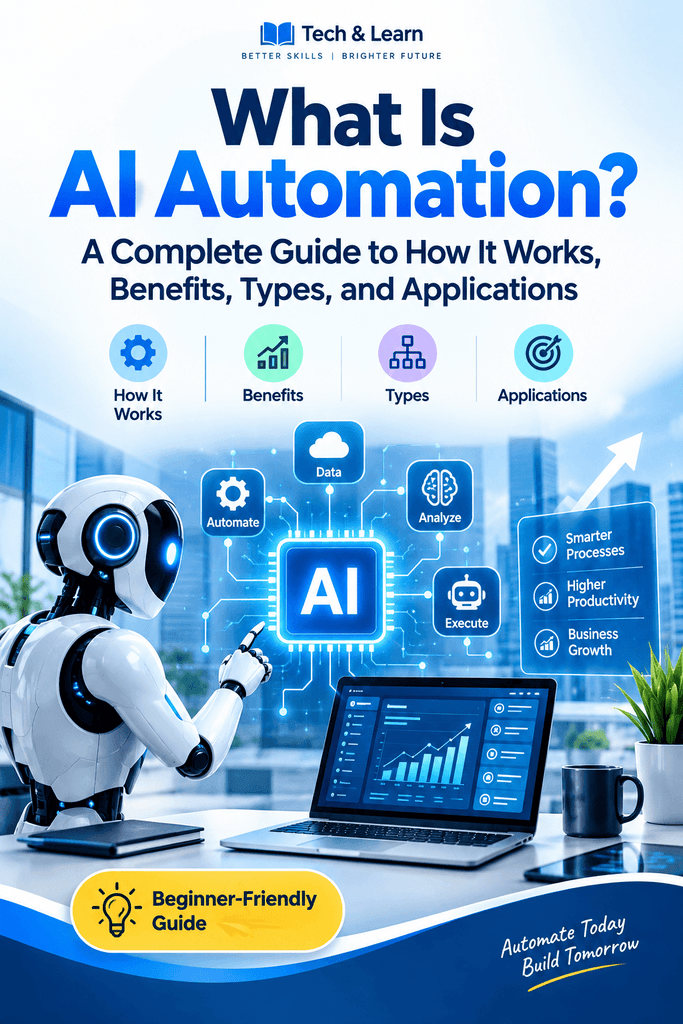
Artificial intelligence and automation are two of the most important technologies shaping modern businesses and digital workflows. When combined, they can help organizations complete tasks faster, analyze information, respond to customers, and make operational processes more efficient. This combination is commonly known as ai automation.
Unlike traditional automation, which usually follows predefined rules, AI-powered systems can analyze data, recognize patterns, interpret language, and adapt their responses to different situations. As a result, organizations can automate tasks that previously required human judgment or constant supervision.
From customer service and marketing to finance, healthcare, manufacturing, and education, intelligent automation is becoming increasingly useful. However, understanding how it works, where it can be applied, and what its limitations are is essential before adopting it.
This guide explains the concept in simple terms and explores its major components, benefits, applications, challenges, and future possibilities.
Read More:Zapier Updates News: 5 Latest Features, Improvements, and What They Mean for Users.
What Is AI Automation?
AI automation refers to the use of artificial intelligence technologies to perform tasks, processes, or decisions with limited human intervention.
Traditional automation generally depends on fixed instructions. For example, an automated system might send an email whenever a customer completes a form. The system follows a predefined condition: if the form is submitted, send the message.
An AI-powered system can handle more complicated situations. It may analyze the customer’s message, identify the subject, determine the appropriate response, and decide whether the issue can be resolved automatically or should be transferred to a human employee.
Therefore, the key difference is flexibility.
AI can provide capabilities such as:
- Understanding natural language
- Recognizing images and speech
- Identifying patterns in large datasets
- Generating text or other content
- Classifying information
- Making predictions
- Supporting decisions
- Detecting unusual activity
- Learning from data and feedback
When these capabilities are incorporated into automated workflows, organizations can automate processes that involve variable or unstructured information.
Read More: What Are the Best AI Workflow Automation Tools? Top Solutions for Smarter Business Processes.
How Does AI Automation Work?
The process generally involves several connected components. Although implementations differ between organizations, a typical system follows a sequence similar to the one below.
1. Data Collection
An intelligent system first needs information. Data may come from emails, documents, databases, websites, customer conversations, sensors, applications, or other digital sources.
The quality of this information matters because inaccurate, incomplete, or biased data can affect the system’s output.
2. AI Processing
The AI model analyzes the incoming information. Depending on the application, it may classify text, identify objects in an image, summarize a document, extract important information, or generate a response.
Different AI technologies are appropriate for different tasks.
3. Decision or Prediction
After analyzing information, the system produces an output. This might be a recommendation, classification, prediction, generated response, or proposed action.
For example, a customer-support system could determine that a message concerns a billing problem.
4. Workflow Execution
Automation connects the AI output to another application or action.
The system could create a support ticket, update a database, send a notification, schedule an appointment, or route the issue to a particular employee.
5. Human Oversight
Not every process should operate without human involvement. Sensitive, expensive, or complex decisions may require approval.
A well-designed workflow can therefore combine machine processing with human review.
Read More: 7 Essential and Effective Insights on How Google Determines Search Relevance.
AI Automation vs. Traditional Automation
Although the two approaches are related, they are not identical.
Traditional automation usually follows predetermined rules. It works particularly well when the process is repetitive and predictable.
For example:
If an invoice is received, save it in the accounting folder.
An AI-enabled workflow can deal with more variation:
Read the invoice, identify the supplier, extract the invoice number and total, check the relevant information, and send unusual cases for review.
The first process depends primarily on explicit instructions. The second involves interpreting information before deciding what action to take.
Key Differences
| Feature | Traditional Automation | AI-Powered Automation |
| Main mechanism | Fixed rules | AI models plus workflows |
| Data type | Mostly structured | Structured and unstructured |
| Flexibility | Limited | Greater flexibility |
| Language understanding | Usually limited | Often available |
| Pattern recognition | Basic or predefined | Advanced |
| Adaptability | Requires rule changes | Can use models and feedback |
| Typical use | Repetitive processes | Complex information-driven tasks |
Neither approach is automatically appropriate for every situation. Traditional automation can be simpler, more predictable, and easier to validate for straightforward tasks. AI becomes particularly useful when the process involves language, images, patterns, predictions, or variable inputs.
Read More: What Is SEO Rank Tracking? A Complete Guide to Measuring Search Performance.
Main Technologies Behind AI Automation
Several technologies can contribute to an intelligent automated workflow.
Machine Learning
Machine learning allows computer systems to identify patterns in data and produce predictions or classifications without requiring every rule to be manually programmed.
For example, a business might use a machine-learning model to classify customer inquiries according to their subject.
Natural Language Processing
Natural language processing, or NLP, enables computers to process human language.
NLP can support applications such as:
- Chatbots
- Email classification
- Document analysis
- Sentiment analysis
- Text summarization
- Information extraction
- Language translation
Generative AI
Generative AI can create new content based on instructions and available context.
It can generate:
- Emails
- Reports
- Product descriptions
- Summaries
- Draft responses
- Code
- Marketing content
When connected to an automated workflow, generated content can become part of a larger business process.
Computer Vision
Computer vision enables systems to interpret visual information.
It can be used to analyze photographs, scanned documents, videos, manufacturing images, and other visual data.
For example, an organization could use computer vision to identify defects in manufactured products.
Robotic Process Automation
Robotic process automation, commonly called RPA, uses software bots to perform repetitive actions within digital applications.
When RPA is combined with AI, the system can potentially handle both structured processes and tasks requiring interpretation.
Read More: Do Google Reviews Help SEO? A Clear, Practical Guide to Rankings and Trust.
Types of AI Automation
There are several ways intelligent automation can be categorized.
Rule-Based AI Workflows
These systems combine AI capabilities with predefined business rules.
For example, an AI model can identify the subject of an email, while business rules determine which department receives it.
Intelligent Document Processing
This approach uses AI to extract information from documents such as invoices, receipts, contracts, applications, and forms.
Instead of requiring employees to manually copy information, the system can extract relevant fields and transfer them into another application.
Conversational Automation
Conversational systems can interact with users through text or voice.
Examples include:
- Customer-service assistants
- Appointment assistants
- Internal employee help desks
- Sales assistants
- Frequently asked question systems
Predictive Automation
Predictive systems analyze historical and current data to estimate future outcomes.
For example, a company might use predictive models to estimate product demand or identify customers who may require additional support.
Generative Automation
Generative systems can create content as part of a workflow.
A marketing workflow, for instance, might gather product information, create a first draft of promotional copy, send it to a reviewer, and publish approved content.
Read More: What Is Off-Page SEO? A Complete Guide to Building Authority and Trust.
Benefits of AI Automation
Organizations adopt intelligent workflows for many reasons. The actual benefits depend on the quality of implementation, the process being automated, and the level of human oversight.
1. Saves Time
One of the most obvious benefits is reducing the amount of time employees spend on repetitive activities.
Tasks such as sorting messages, extracting information, preparing summaries, and updating records can consume substantial amounts of working time when performed manually.
Automation can handle suitable portions of these workflows continuously.
2. Improves Productivity
When repetitive work is reduced, employees can dedicate more attention to activities that require creativity, communication, strategic thinking, or specialized expertise.
This does not necessarily mean eliminating human involvement. Instead, technology can change how employees spend their time.
3. Reduces Repetitive Errors
Manual data entry can lead to mistakes, particularly when employees repeatedly copy information between systems.
An appropriately designed automated workflow can reduce certain types of transcription and processing errors.
However, automation itself is not error-free. Poor instructions, incorrect data, faulty integrations, and inaccurate AI outputs can create new problems.
4. Provides Faster Responses
Automated systems can operate outside normal working hours.
For example, a customer could receive an immediate acknowledgment after submitting a request, even if the relevant employee is unavailable.
5. Handles Large Volumes of Information
AI systems can process large quantities of text, images, or other information much faster than a person could manually review everything.
This can be useful for organizations dealing with large document collections or high volumes of customer interactions.
6. Supports Better Decision-Making
AI can identify patterns and present information that might otherwise take considerable time to analyze.
However, decision-support systems should be evaluated carefully, especially when decisions have significant consequences.
7. Improves Consistency
Automated workflows can apply the same process repeatedly.
For example, a company can establish a standardized workflow for processing routine customer requests.
Read More: What Is Local SEO? A Complete Guide to Boosting Your Local Visibility.
Applications of AI Automation
The technology has applications across many industries.
Customer Service
Customer service is one of the most visible applications.
AI-powered assistants can answer common questions, classify requests, summarize conversations, and route complex issues to human agents.
For example, when a customer asks about an order, the system can identify the request and retrieve relevant information from an integrated order-management system.
Human agents can then focus on unusual or sensitive cases.
Marketing
Marketing teams can use intelligent workflows to support content creation, customer segmentation, campaign analysis, and lead management.
A workflow might collect information about a potential customer, categorize the lead, generate a personalized draft message, and send the information to a sales platform.
Human review can remain part of the process for important communications.
Sales
Sales teams often manage large amounts of customer information.
Automation can help with:
- Lead classification
- Meeting summaries
- Follow-up reminders
- Customer research
- CRM updates
- Email drafting
- Sales forecasting
The objective is generally to reduce administrative work rather than replace the relationship-building aspect of sales.
Finance and Accounting
Financial departments can use intelligent workflows for invoice processing, document classification, expense management, fraud monitoring, and financial reporting.
For example, a system may extract information from an invoice and compare it with existing records before sending the transaction for approval.
Human Resources
HR teams can use automation to organize applications, answer routine employee questions, schedule interviews, and process documents.
Care is especially important when AI is involved in employment-related decisions because inaccurate or biased systems can have significant consequences.
Healthcare
Healthcare organizations can use AI-assisted automation for administrative and information-management tasks.
Potential applications include appointment scheduling, documentation support, medical-image analysis, and administrative communication.
Clinical applications require particularly strong safeguards, validation, privacy protection, and professional oversight.
Manufacturing
Manufacturers can combine sensors, machine learning, and automated systems to monitor equipment and identify unusual patterns.
Predictive maintenance is one example. A system can analyze equipment data and alert technicians when measurements suggest that maintenance may be needed.
Education
Educational organizations can use intelligent systems for administrative support, content organization, personalized learning activities, and student communication.
Teachers and educational professionals remain important for evaluating learning needs, context, and quality.
Read More: How SEO Marketing Works – A Clear Guide to Traffic, Rankings, and Conversions.
Examples of AI Automation in Everyday Business
Consider a small online store that receives dozens of customer emails each day.
A basic workflow might work as follows:
- A customer sends an email.
- The system reads the message.
- AI identifies the topic.
- The workflow checks available customer and order information.
- A response is drafted.
- Simple cases receive an automated response.
- Complex cases are forwarded to a human employee.
- The conversation is recorded in the customer-management system.
Another example involves recruiting.
An organization might receive hundreds of applications. An automated workflow could organize documents, extract relevant information, and help recruiters locate applications matching predefined requirements.
The system should not necessarily make the final employment decision. Human review can remain essential, particularly when the consequences are significant.
How Businesses Can Implement AI Automation
Successful implementation usually begins with the process rather than the technology.
Step 1: Identify a Suitable Process
Look for tasks that are:
- Repetitive
- Time-consuming
- Clearly defined
- High in volume
- Digitally accessible
- Relatively easy to measure
Avoid starting with the most complicated or sensitive process.
Step 2: Map the Existing Workflow
Document what currently happens.
Identify:
- Inputs
- Decisions
- Applications used
- Human approvals
- Outputs
- Exceptions
- Potential failure points
This helps determine which parts should be automated.
Step 3: Determine Where AI Is Actually Needed
Not every automated process requires artificial intelligence.
If a simple rule can reliably solve a problem, traditional automation may be sufficient.
AI is more useful when the workflow involves interpretation, prediction, classification, language, images, or other variable information.
Step 4: Establish Human Review
Decide which outputs require human approval.
High-impact actions should generally have stronger controls than low-risk administrative tasks.
Step 5: Test the Workflow
Run the system with representative examples before deploying it widely.
Testing should include normal cases, unusual cases, incorrect inputs, and potential failure scenarios.
Step 6: Monitor Performance
After implementation, track meaningful measurements such as:
- Processing time
- Error rates
- Customer satisfaction
- Human intervention rates
- Cost per transaction
- Accuracy
- Failure frequency
Continuous monitoring helps identify problems that were not visible during initial testing.
Challenges and Limitations
Despite its potential, intelligent automation has important limitations.
Accuracy Problems
AI systems can produce incorrect classifications, predictions, or generated content.
An output that sounds convincing is not necessarily correct.
Therefore, workflows should include validation mechanisms appropriate to the risk.
Data Quality
Poor data can reduce system performance.
Missing information, inconsistent records, outdated databases, and biased datasets can all affect results.
Privacy and Security
Automated systems may process sensitive business or personal information.
Organizations need appropriate access controls, data-protection measures, retention policies, and security procedures.
Integration Difficulties
A sophisticated AI model is not enough by itself.
It may need to communicate with CRM platforms, databases, accounting software, email systems, document-management tools, or other applications.
Poor integration can create operational problems.
Cost
Although automation can reduce costs in some situations, implementation may require investment in software, infrastructure, training, integration, monitoring, and maintenance.
The business case should therefore consider the complete lifecycle rather than only the initial software price.
Employee Training
Employees need to understand how new systems work and where human judgment remains necessary.
Training can also help workers recognize incorrect AI outputs and report problems.
AI Automation and the Future of Work
The increasing use of intelligent technology is changing the nature of many jobs.
Some repetitive activities may require less human effort, while demand may grow for skills related to technology management, data analysis, system design, communication, creativity, and critical thinking.
The effect is unlikely to be identical across every occupation.
In many workplaces, the practical model is likely to involve collaboration between people and automated systems. Machines can handle certain repetitive or information-intensive tasks while humans provide context, accountability, creativity, empathy, and judgment.
Consequently, learning how to work effectively with AI systems may become an increasingly useful professional skill.
Best Practices for Responsible AI Automation
Organizations can improve implementation by following several principles.
Start Small
Begin with a well-defined workflow rather than attempting to automate an entire organization immediately.
Keep Humans in the Loop
Human oversight is particularly important when decisions can significantly affect people’s finances, employment, health, education, safety, or access to services.
Protect Data
Use appropriate security measures and limit access to information according to legitimate business requirements.
Measure Results
Define success before implementation. Without measurable objectives, it can be difficult to determine whether automation is actually improving a process.
Document Decisions
Record how workflows operate, which models are used, what information they process, and when humans are expected to intervene.
Review Regularly
AI systems and business processes can change over time. Regular evaluation helps ensure that an automated workflow remains accurate, secure, and useful.
What Skills Are Needed for AI Automation?
Building intelligent automated workflows can involve several types of expertise.
Important skills include:
- Process analysis
- Data management
- AI and machine learning fundamentals
- Software integration
- Workflow design
- Prompt design
- Cybersecurity
- Quality assurance
- Critical thinking
- Business communication
A technical background can be helpful, but many modern automation platforms are designed to allow people with limited programming experience to create workflows.
Understanding the underlying process remains just as important as understanding the software.
Is AI Automation Suitable for Small Businesses?
Yes, small businesses can use intelligent automation when the technology addresses a genuine operational need.
A small business might automate customer inquiries, appointment scheduling, document processing, marketing workflows, or administrative tasks.
However, smaller organizations should avoid adopting technology simply because it is popular. The appropriate question is whether a specific process consumes enough time, money, or resources to justify automation.
Starting with one measurable workflow can make it easier to evaluate the results.
What Is the Difference Between AI and AI Automation?
Artificial intelligence and automation are related but different concepts.
AI refers to technologies that enable computers to perform tasks involving capabilities such as learning, prediction, language understanding, pattern recognition, and generation.
Automation refers to systems that perform tasks with reduced manual intervention.
AI automation combines these ideas. The AI component provides interpretation or intelligent processing, while the automation component connects that capability to a broader workflow.
For example, an AI model might summarize an email. Automation can then take that summary, update a database, notify an employee, and create a follow-up task.
Frequently Asked Questions (FAQ)
What is AI automation in simple terms?
AI automation means using artificial intelligence within automated workflows to perform tasks that may require understanding, classification, prediction, or content generation.
Is AI automation the same as automation?
No. Traditional automation usually follows predetermined rules, while AI-enabled systems can process variable information and perform tasks involving capabilities such as language understanding or pattern recognition.
What are common examples of AI automation?
Common examples include intelligent chatbots, automated document processing, email classification, AI-assisted customer service, predictive maintenance, content generation, and automated data analysis.
Can AI automation replace human workers?
It can reduce the need for humans to perform certain repetitive activities, but its effect varies by occupation and workflow. In many situations, technology supports employees rather than completely replacing them.
Is AI automation expensive?
Costs vary significantly. Expenses may include software, integration, infrastructure, training, maintenance, and monitoring. Some simple workflows can be implemented with relatively modest resources.
What are the biggest risks?
Important risks include inaccurate outputs, privacy problems, security vulnerabilities, biased results, poor data quality, weak integration, and excessive reliance on automated decisions.
Does AI automation require programming?
Not always. Many modern platforms provide visual workflow builders and low-code tools. However, programming and technical expertise can become important when organizations need complex integrations or customized systems.
How can a company start using it?
A practical starting point is to identify one repetitive, measurable workflow, map the existing process, determine whether AI is actually necessary, establish human oversight, test the system, and measure its results.
Conclusion
AI automation combines artificial intelligence with automated workflows to handle tasks that can involve language, data, images, predictions, classification, and content generation. Unlike traditional rule-based automation, it can provide greater flexibility when processes involve variable or unstructured information.
Its applications extend across customer service, marketing, finance, healthcare, manufacturing, education, sales, and many other areas. Potential benefits include faster processing, reduced repetitive work, improved consistency, and better use of employee time.
At the same time, intelligent automation is not a solution to every business problem. Accuracy, privacy, security, integration, cost, data quality, and human oversight all need careful consideration.
The most effective approach is to begin with a clearly defined problem, select the appropriate technology, establish safeguards, and measure the results. When implemented thoughtfully, intelligent automation can become a practical tool for improving digital workflows while keeping human judgment at the center of important decisions.